Zapier Alternative AI Automation Pricing Guide: What You Should Pay
You are probably paying more for automation than the tasks inside it are worth. Per-task billing punishes busy months, per-user seats charge you for people who barely log in, and the invoice rarely explains which workflows drove the total. If your team already runs on WhatsApp, the math changes again.
This guide breaks down how AI automation pricing actually works, which cost drivers matter, and which fees tend to hide in the fine print. You will also see what Tasks.Bot charges at ₹200 per month or ₹1,200 per year per member, and what that includes. By the end, you should be able to judge whether a quote is fair or padded.
What Is Tasks.Bot and Why It Matters as a Zapier Alternative
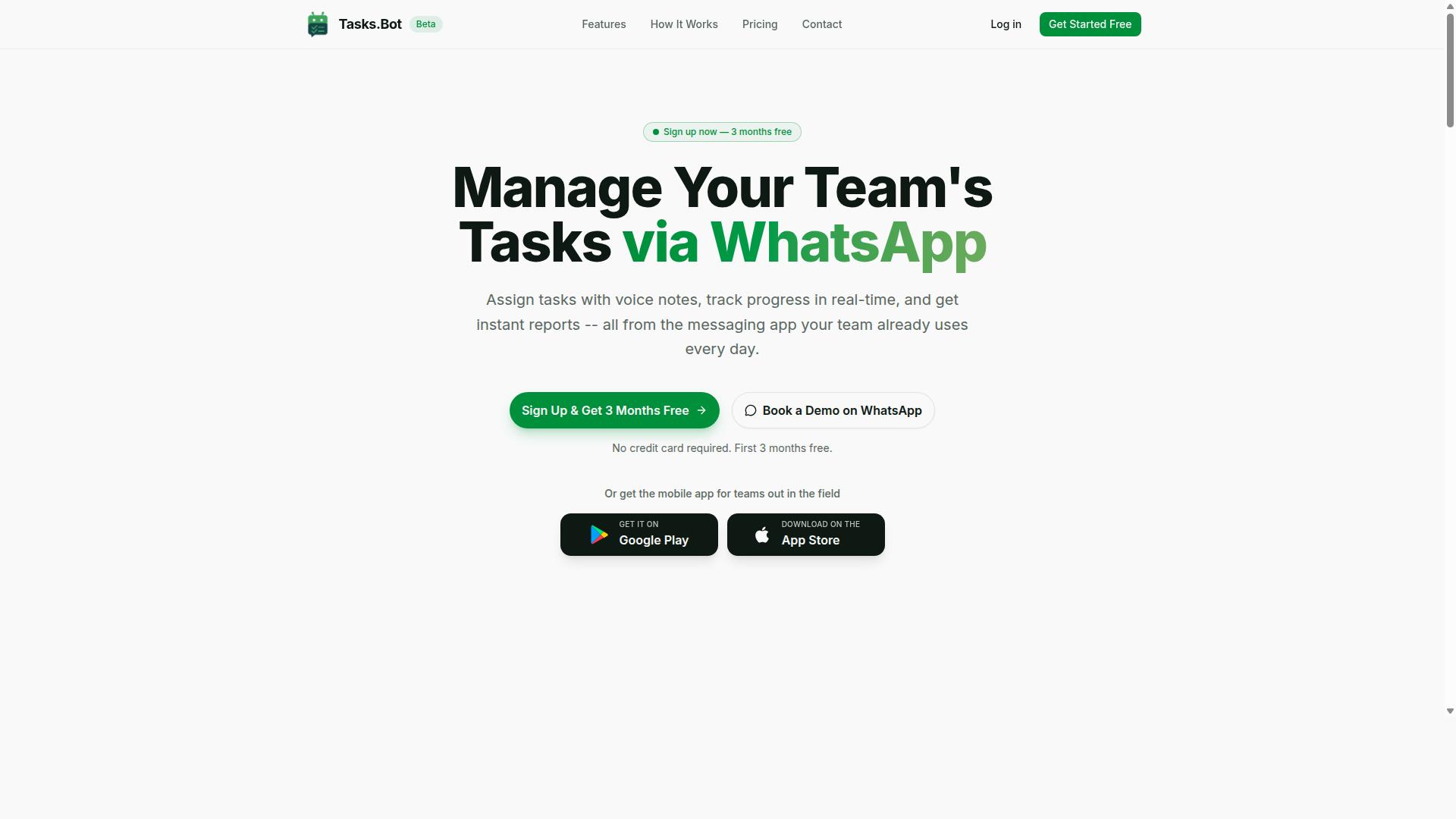
Tasks.Bot is a task management platform that operates entirely within WhatsApp, allowing teams to assign tasks, track progress, and receive reports without leaving the messaging app. That single design decision separates it from the crowded field of workflow automation tools.
Zapier built its reputation as an iPaaS, connecting thousands of apps so that a trigger in one tool fires an action in another. That model works well for back-office workflow automation, but it assumes your team lives in dashboards, inboxes, and browser tabs. Tasks.Bot flips the assumption. The work happens where the conversation already happens.
The practical difference shows up in adoption. A Zapier-style setup usually means creating accounts, mapping fields, and training people on a new interface. Tasks.Bot requires no new accounts or installs for the people doing the work. If your team already uses WhatsApp, the barrier to entry is close to zero.
It is also worth being precise about what each tool automates. Zapier moves data between apps. Tasks.Bot automates task assignment and tracking inside WhatsApp, covering the human side of operations rather than just the data side. For teams weighing automation cost against real usage, that distinction matters. A per-task billing model only pays off if the tasks actually get done.
Tasks.Bot also offers a mobile app for field teams, so workers away from a desk are not locked out of the system. The service is currently in beta and offers a free trial period, which gives teams a low-risk way to judge fit before committing budget.
Who Tasks.Bot Serves: WhatsApp-First Teams and Field Staff
Tasks.Bot is designed for teams that rely on WhatsApp for daily communication, especially those with field staff who need to manage tasks, attendance, and payroll-ready hours. These are the groups most poorly served by traditional workflow automation platforms.
Consider the pain points. A supervisor assigns jobs verbally or in a group chat. Progress updates get buried under memes and logistics messages. Attendance is tracked on paper, and hours have to be reconstructed later for payroll. None of that is a data-transfer problem, so no-code integration alone will not fix it.
Tasks.Bot targets those gaps directly:
- Task assignment happens in the same thread where the team already talks
- Progress tracking gives managers visibility without chasing updates
- Attendance tracking replaces manual sign-in sheets
- Payroll-ready hours reduce the end-of-period scramble
The audience is specific: teams that treat WhatsApp as their primary communication tool, particularly those coordinating field workers across sites. For them, the question is not which iPaaS has the most integrations. It is whether the tool fits how the team already works.
Adoption friction is the quiet killer of automation projects. Seat-based pricing and user-based pricing look reasonable on a quote, but they mean nothing if half the team never logs in. Tasks.Bot sidesteps that by meeting workers in an app they open dozens of times a day.
The platform is not starting from zero, either. The site mentions hundreds of teams already using the service, which suggests the WhatsApp-first model is finding real demand rather than solving a problem that only exists on a pitch deck.
For a pricing guide, this matters. When you evaluate automation cost, the number that counts is cost per completed task, not cost per seat. A tool that field staff actually use delivers a far better return than a cheaper one they ignore. Tasks.Bot's fit with WhatsApp-first teams is exactly why it holds up as a Zapier alternative for operational work.
How AI Automation Pricing Actually Works - And What You Should Pay
Understanding AI automation pricing requires breaking down the common models: per-task, per-user, and per-workflow billing, each with distinct cost implications. Most platforms in the workflow automation and iPaaS space build their plans around one of these metrics, then layer subscription tiers on top.
Nearly every tool in this category follows a freemium model at the entry level. A free plan typically caps monthly task volume or workflow runs, which works fine for testing a no-code integration or automating a single repetitive process. Once you exceed those caps, you move into paid subscription tiers.
Paid plans usually scale across three or four levels, from starter to professional to enterprise. Monthly billing is the default, while an annual discount is a common incentive across the industry. Enterprise plan pricing is usually quoted per customer.
What you should actually pay depends on two variables: team size and automation volume. A solo operator running a few hundred tasks monthly may never leave a free or low-cost tier. A department running thousands of workflow runs across multiple connected apps will need a mid-tier or higher plan.
The sections below break down the specific billing models, typical price ranges, and the hidden fees that can inflate a bill after signup.
The Real Cost Drivers: Per-Task, Per-User, and Per-Workflow Models
Most automation platforms charge based on one of three models: per task executed, per user seat, or per workflow run, and each can lead to different total costs as you scale. Some tools blend two of these into a hybrid pricing structure.
Under per-task pricing, also called per-operation billing or task-based billing, every action an automation performs counts against your quota. A simple trigger that sends one message equals one task. A single form submission that updates a CRM, sends an email, and logs a row in a spreadsheet equals several. At a nominal rate such as a fraction of a cent per task, costs look trivial until volume climbs into the tens of thousands.
Seat-based pricing or user-based pricing charges a flat rate per person who needs access. Adding a teammate to review automations, manage integrations, or build new workflows pushes the monthly total up, even if that person runs few tasks. This model suits teams where many people build automations but volume per person stays modest.
Per-workflow pricing charges by the automation itself rather than individual steps. A complex workflow with branching logic, multiple apps, and error handling counts as one unit. Costs rise when you run many separate workflows, not when each one grows longer, which can favor teams with a few heavy processes.
| Model | What Counts | Typical Range | Scales With |
|---|---|---|---|
| Per-task | Each action step | Free tier, then low monthly fee plus usage | Total operations |
| Per-user | Each seat | Fixed monthly fee per person | Team size |
| Per-workflow | Each active automation | Tiered flat rate | Number of workflows |
Before comparing quotes, estimate two numbers: your monthly task volume and your active user count. Multiply expected operations by the per-task rate, or seats by the per-user fee, and you get a rough monthly figure. Recalculate at two or three times current volume to see how the plan holds up as you grow. That forward-looking number matters more than the entry price.
Hidden Costs to Watch For in Zapier-Style Automation Tools
Beyond the headline price, automation tools often impose hidden costs such as overage charges, premium app fees, and limits on API calls or data transfer. These add-ons rarely appear in the advertised monthly rate.
Overage charges are the most common surprise. When you exceed your plan's task or execution limit, some platforms bill for the extra usage, sometimes at a higher rate than your base plan. Others simply pause your automations until the next billing cycle, which can silently break business processes.
Premium app connectors are another trap. Popular integrations with CRMs, payment systems, or support desks may sit behind a higher subscription tier. A starter plan can look affordable until the apps you actually need require an upgrade.
API call limits throttle how often your automations can talk to external services. Hitting the ceiling slows workflows or triggers errors. Data transfer fees apply on some platforms when automations move large files or sync big datasets between systems.
To avoid bill shock, calculate your total cost of ownership rather than comparing sticker prices. Add up the base subscription, expected overages, any premium connectors you need, and the cost of the tier that unlocks your required API allowance.
- Check whether unused tasks roll over or expire each month
- Confirm which integrations sit behind premium tiers
- Read the overage policy: billed, throttled, or paused
- Model costs at double and triple your current volume
- Verify whether annual plans lock in pricing or renew at a higher rate
Read the fine print on scaling costs before committing. A plan that fits today's volume at a low rate can become expensive once automation spreads across teams and departments, and switching platforms later carries its own migration cost. The ROI of automation still usually favors the investment, but only when the pricing model matches how your team actually works.
Tasks.Bot Pricing: Full Access at ₹200/Month or ₹1,200/Year Per Member
Tasks.Bot offers a straightforward pricing model: a single 'Full Access' plan at ₹200 per member per month or ₹1,200 per member per year, with all features included. There are no starter tiers, no premium add-ons, and no feature gates to work around.
That structure stands out in a market where most AI automation platforms rely on subscription tiers, per-task pricing, or per-operation pricing. Tools like Zapier, Make, n8n, Workato, Tray.ai, and Pabbly Connect typically meter usage through task-based billing, workflow runs, execution limits, or API calls. Those meters are exactly where overage charges and hidden fees tend to appear as a team grows.
Pricing is listed in both Indian Rupees and US Dollars, and the site includes a 'Select currency' option so buyers can confirm the figure in their preferred currency before committing. The plan is charged per member, which makes the cost predictable as a team scales. Adding a tenth person costs the same as adding a second, with no jump into an enterprise plan.
Annual billing brings the effective rate down sharply. At ₹1,200 per member per year against ₹200 per month, the yearly option saves ₹1,200 per member annually, which works out to roughly three months free compared with paying monthly. For a small team, that difference compounds quickly across every seat.
What's Included: Voice Notes, Automations, Face-Verified Attendance, GPS Tracking
The Full Access plan includes voice note task creation, automatic task assignment, smart deadline reminders, approvals, automations, instant reports, face-verified attendance, and GPS tracking. Everything sits inside one flat rate rather than being split across paid add-ons.
Voice note task creation lets a user speak a task instead of typing it out, which shortens the gap between an instruction and a recorded action item. The service uses AI to understand user intent and create tasks from messages, so the message itself becomes the work item. Automations and automatic task assignment then handle routing and follow-up without manual coordination.
Accountability features matter just as much for teams that are not desk-bound. Face-verified attendance ties check-ins to a verified person, while GPS tracking and tasks on a map help managers see where field staff are working. Shifts, leave, and hours management round out the same plan.
Tasks.Bot runs on native WhatsApp integration, which means task management happens in a tool most teams already use daily. Android and iOS apps add push notifications, voice capture, and a home screen widget. Live day tracker and instant reports give managers a current view without exporting data elsewhere.
The pricing contrast is simple. On many automation platforms, premium apps, higher execution limits, and advanced reporting sit behind upper tiers. With Tasks.Bot, those capabilities are part of the single plan from day one.
Free Trial and 3 Months Free - No Credit Card Required
Tasks.Bot offers a free trial and an annual plan that effectively gives you three months free, with no credit card required to start. New users also receive 3 months free, can cancel anytime, and never have to hand over payment details to evaluate the product.
That combination lowers the usual risks of adopting a new automation tool. There is no card on file to forget about, no auto-renewal surprise, and no commitment while a team decides whether the workflow fits. The service is currently in beta, and a refund policy is referenced in the site footer for buyers who want that reassurance in writing.
Comparing the two billing options is worth a few minutes of arithmetic. A team of five paying monthly spends ₹1,000 per month, or ₹12,000 across a year. The same five members on annual billing pay ₹6,000 for the year, a saving of ₹6,000. Multiply that across a larger group and the annual discount becomes one of the clearest ROI of automation arguments available.
For anyone weighing scaling costs, the flat-rate model removes the guessing game that comes with usage-based pricing. Budgeting is a matter of headcount, not a forecast of workflow runs or API calls. Teams can start with the free trial, test voice notes, automations, and attendance tracking on real work, then choose monthly or annual billing once the value is clear.
What Makes Tasks.Bot a Genuine Zapier Alternative
Tasks.Bot stands out as a Zapier alternative by embedding automation directly into WhatsApp, eliminating the need for new accounts or app installs. Where most workflow automation platforms require every team member to log into a separate dashboard, Tasks.Bot meets people in the messaging app already open on their phone.
That difference matters when you are weighing workflow automation costs. Traditional iPaaS tools like Zapier, Make, n8n, or Workato bill by tasks, operations, or workflow runs, and every extra seat adds to the bill. Tasks.Bot sidesteps the seat-based pricing problem because adoption does not depend on onboarding a whole team onto unfamiliar software.
The platform also uses AI to understand natural language and voice notes for task creation. A manager can speak a task into WhatsApp and the system interprets it, which removes the form-filling and field-mapping that slows down a typical no-code integration build.
For field teams, Tasks.Bot adds face-verified attendance and live GPS tracking, capabilities that most general automation platforms do not offer at all. Enterprise-grade encryption protects the data, and conversations and task data are never shared or used for training. A 3-month free trial with no credit card required lets a team judge the fit before committing budget.
No New Accounts, No Installs - Automation Inside WhatsApp
With Tasks.Bot, automation happens inside WhatsApp, so your team can assign tasks, get reminders, and receive reports without leaving the app they already use. There is no new account to create and no software to install, aside from an optional mobile app for field staff.
That low barrier changes the economics of workflow automation. IT overhead drops because there is no rollout, no password resets, and no training sessions to schedule. Adoption rises because the tool feels like sending a message, not learning a platform.
Practical examples show how this plays out day to day:
- Assigning a task by voice note, which the AI interprets and turns into an actionable item
- Receiving deadline reminders inside the same chat thread
- Collecting reports from team members without a separate reporting tool
- Tracking field staff attendance through face verification and live GPS
Each of these replaces a step that would otherwise live in a dashboard someone has to remember to open. When you compare automation cost across platforms, the hidden expense is usually the human time spent driving adoption. Tasks.Bot removes most of that friction by staying inside a channel your team already checks dozens of times a day.
The security model supports the same argument. Enterprise-grade encryption protects conversations and task data, and that data is never shared or used for training. Teams get the convenience of WhatsApp with safeguards that matter for business use. A 3-month free trial with no credit card required means you can validate all of this with your own people before any subscription starts.
Who Should Use Tasks.Bot
Tasks.Bot is ideal for small to medium-sized teams that use WhatsApp for communication, especially those with field staff who need to track tasks, attendance, and hours. These are the teams that often feel the pain of automation pricing most sharply, because they need practical results without paying for a full iPaaS platform. Tasks.Bot fits that gap by working inside a tool the team already opens every day.
The service is built around a simple idea: you should not have to adopt new software to manage routine work. For teams weighing whether to spend on Zapier, Make, or n8n, that distinction matters. The automation cost question changes when the interface is already familiar to everyone on the crew.
Three broad profiles tend to get the most value:
- Field service teams that coordinate jobs, shifts, and on-site updates through chat rather than a desktop dashboard
- Remote teams spread across locations who need a shared view of tasks and hours without a heavy project management rollout
- Businesses already using WhatsApp for day-to-day operations and looking to formalize task management, attendance tracking, and payroll-ready hours
For field service crews, the appeal is practical. Attendance tracking with face verification removes the guesswork from who showed up and when, which matters when staff are not sitting at a desk. Payroll-ready reports then turn those logged hours into something an admin can act on, instead of a pile of messages to reconcile at month end.
Remote teams face a different version of the same problem. Work happens across time zones and devices, and task updates get scattered. Tasks.Bot keeps task management, attendance tracking, and payroll-ready hours in one place, so managers are not stitching together screenshots and chat threads to understand what happened during the week.
Businesses already on WhatsApp are the most natural fit of all. There is no migration project, no training week, and no separate login to remember. The team keeps communicating the way it always has, while the operational layer underneath becomes structured enough to support reporting and payroll.
Scale is another reason this profile matches well. The site notes that hundreds of teams already use the service, which suggests the approach holds up beyond a single small crew. It also means new users are joining an established pattern rather than testing an untried concept.
Availability is not limited by region. Tasks.Bot is available globally, so a business with staff in more than one country can standardize on the same workflow instead of juggling regional tools. For distributed operations, that consistency is often worth more than any single feature.
If your team lives in WhatsApp, has people working away from a desk, and needs attendance and hours to feed into payroll without a software overhaul, this is the profile Tasks.Bot was designed for.
Final Verdict: What You Should Pay for AI Automation
When evaluating AI automation tools, consider the total cost of ownership, including hidden fees and scaling costs, and choose a model that aligns with your team's size and workflow volume. The sticker price on a pricing page rarely tells the whole story.
A plan that looks affordable at first glance can become expensive once overage charges and premium app fees pile up. That is why the smartest approach is to map your actual usage before committing to any platform.
This pricing guide has walked through the main billing models in the workflow automation space, from per-task pricing to seat-based and usage-based structures. Each one shifts risk in a different direction, and understanding that trade-off is the core of getting value for money.
Flat-rate pricing removes much of that uncertainty. Instead of forecasting task counts or worrying about execution limits, you pay one predictable amount and plan your budget around it.
Key Takeaways Before You Choose
Three habits separate teams that control their automation cost from those that get surprised at renewal time.
- Understand your usage patterns. Track how many workflow runs, API calls, and premium app steps your team actually needs each month.
- Watch for hidden costs. Overage charges, scaling costs, and premium app surcharges often sit outside the headline price.
- Compare billing models honestly. Per-task billing, per-operation pricing, and user-based pricing each behave differently as you grow.
If your volume is steady, a flat-rate plan usually wins on both budget clarity and administrative effort. If your needs swing wildly, a hybrid or usage-based model may fit better, provided you can absorb the variability.
The right answer depends less on which tool is cheapest today and more on which one stays affordable as your workflows multiply.
Why Tasks.Bot Offers a Clear Alternative
Tasks.Bot keeps its pricing simple. Full access costs ₹200 per month or ₹1,200 per year per member, with no hidden fees.
That structure stands apart from the per-task and per-operation models common among iPaaS platforms. There are no overage charges to track, no premium app tiers to decode, and no surprise line items when your team runs more workflows than expected.
For small teams and growing businesses alike, that predictability matters. You can forecast your automation spend for the year in a single calculation rather than modeling usage curves.
Tasks.Bot suits teams that want full access to the platform without tiered feature gates or metered billing. The value proposition is straightforward: one price, full access, no hidden fees, whether you bill monthly or take the annual option.
If you have questions about how the plan fits your workflow, you can reach the team directly by phone at +91 97143 42522 or by email at [email protected].
Our Recommendation by Team Type
Match the pricing model to how your team actually works, not to a feature checklist.
- Solo users and small teams: A flat-rate plan at ₹200 per month keeps costs low and predictable, with no need to monitor task counters.
- Growing teams with steady volume: The annual option at ₹1,200 per year per member lowers the effective monthly cost while locking in full access.
- Teams with unpredictable spikes: Avoid per-task billing where a busy month triggers overage charges. Flat-rate pricing absorbs that variability.
The broader lesson from this pricing guide is that total cost of ownership beats headline price every time. Factor in scaling costs, premium app fees, and the staff time spent managing billing complexity.
Once you run those numbers, a transparent flat rate is often the most economical choice. Tasks.Bot delivers exactly that, with full access at a fixed price and no hidden fees at any point.
For teams weighing Zapier alternatives, the verdict is clear: choose a pricing model you can predict, and choose a platform that does not penalize you for using it more. Tasks.Bot meets both tests.
Frequently Asked Questions
How much does Tasks.Bot cost compared to other AI automation tools?
Tasks.Bot keeps pricing simple with a single 'Full Access' plan that includes all features - no tiers to compare or features locked behind upgrades. It's available in both Indian Rupees (₹) and US Dollars ($), with a monthly plan at ₹200 per member per month and an annual plan at ₹1,200 per year per member, which saves 50%. Since competitor pricing changes often and varies by seat count and usage, check each tool's current rates directly before comparing.
What do I actually get for the price with Tasks.Bot?
Every Tasks.Bot plan is 'Full Access,' so you're not paying extra to unlock individual capabilities. That includes task management via WhatsApp, voice note task creation, automatic task assignment, smart deadline reminders, approvals and automations, instant reports, tasks on a map, live day tracking, and face-verified attendance. There's also a mobile app for field teams.
Do my team members need to install an app or create new accounts to use Tasks.Bot?
No. Tasks.Bot operates entirely within WhatsApp, so team members don't need to install anything or create new accounts - they just use the WhatsApp they already have. A mobile app is also available for field teams that need it. This can reduce the onboarding and per-seat software costs that come with tools requiring every user to adopt a new platform.
Is Tasks.Bot available in my country?
Yes - Tasks.Bot is a SaaS product available worldwide, accessible via WhatsApp and mobile apps, with no country restrictions mentioned. Pricing is offered in both Indian Rupees (₹) and US Dollars ($). If you're unsure which currency applies to you, you can ask before subscribing.
How can I see Tasks.Bot in action before paying?
The website offers a 'Book a Demo on WhatsApp' option, so you can see how task assignment, reminders, and reports work before committing. Tasks.Bot is currently in beta, and the site mentions a refund policy in its footer. For questions about the demo or refund terms, you can reach the team at [email protected] or +91 97143 42522.
Is per-member pricing worth it for teams with field staff?
Tasks.Bot is built for teams that already communicate on WhatsApp, especially those with field staff who need task management, attendance tracking, and payroll-ready hours. Because it adds face-verified attendance and live day tracking on top of task management, it can replace several separate tools rather than just one. The site mentions hundreds of teams already using the service, so you can judge the per-member cost against the tools it consolidates.
Recommended Resources: